Portfolio · Case study 08 / 09
HQ Launcher
Home screen + AI assistant · Android · Personal
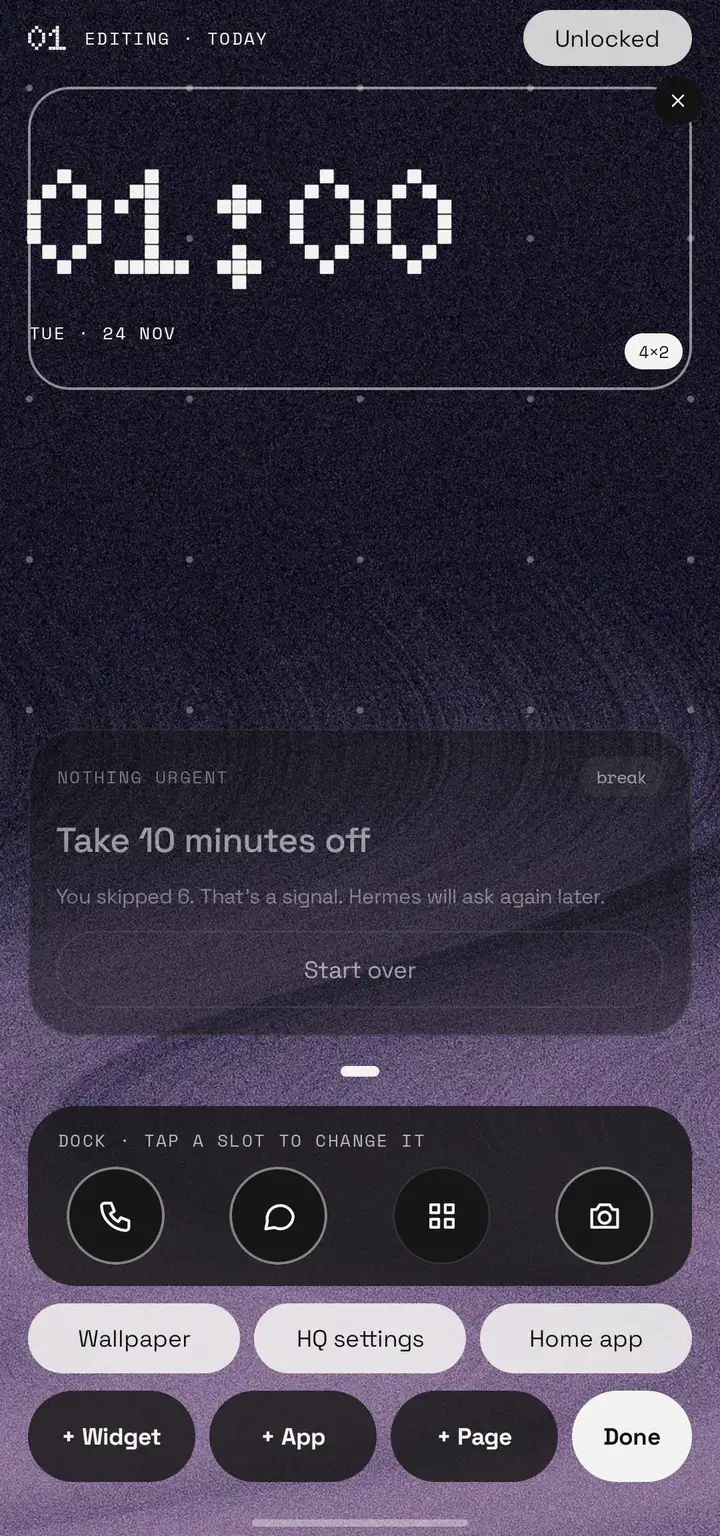
My phone’s home screen, rebuilt around one question: what should I do right now?
What it is
HQ Launcher replaces the phone’s home screen. Instead of a wall of apps and a long to-do list, it shows one task to do now, with a one-line reason, and keeps everything else out of the way. It’s also the front end for my own AI assistant, which runs on a small cloud server and is plugged into my Gmail, Discord, notes vault and the web.
- Android
- Personal project
- Built in six phases
What you can do
- 01Do this nowOne task, with the reason it was picked. “Not now” moves on to the next, and after the last it suggests ten minutes off.
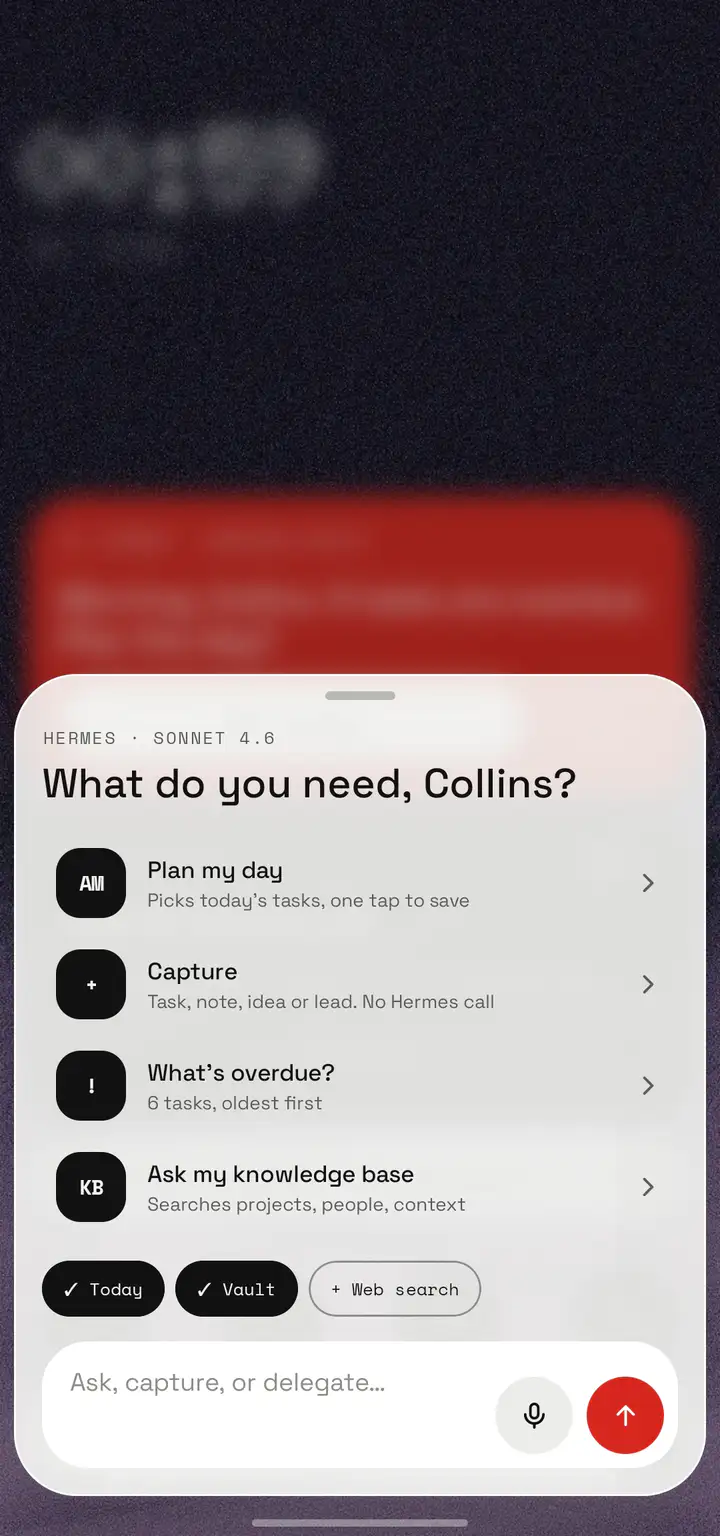
- 02Plan my dayThe assistant picks today’s tasks and says why it chose each one.
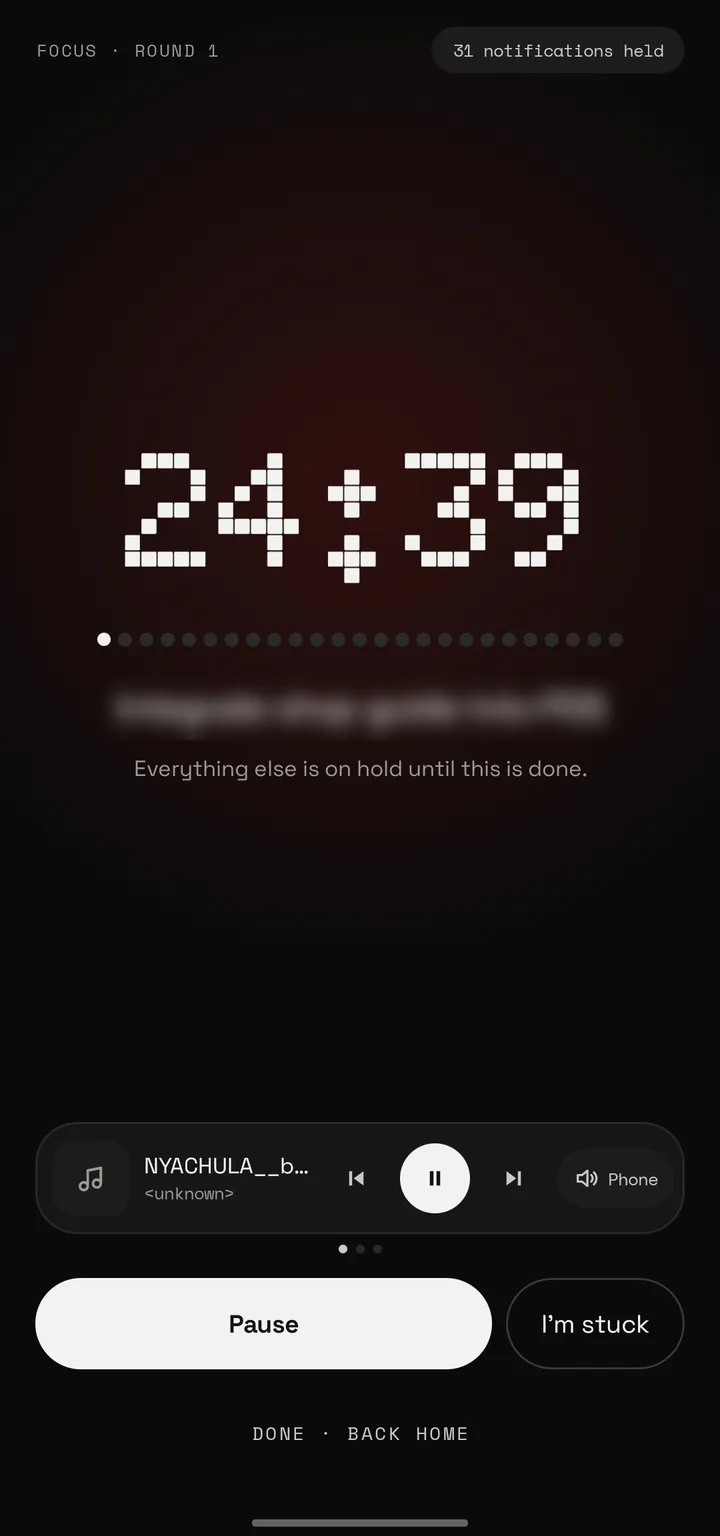
- 03Focus modeA 25-minute dot-matrix timer with Do Not Disturb, a streak, a music player and an “I’m stuck” button.
- 04“I’ve done X”Finish tasks by saying or typing a sentence.
- 05Evening wrap-upClose the day and roll whatever is left to tomorrow.
- 06Ask the assistantQuestions, a search across my notes, and email triage: read, label and draft, never send.
- 07Today on the lock screenA widget shows the current pick before the phone is even unlocked.
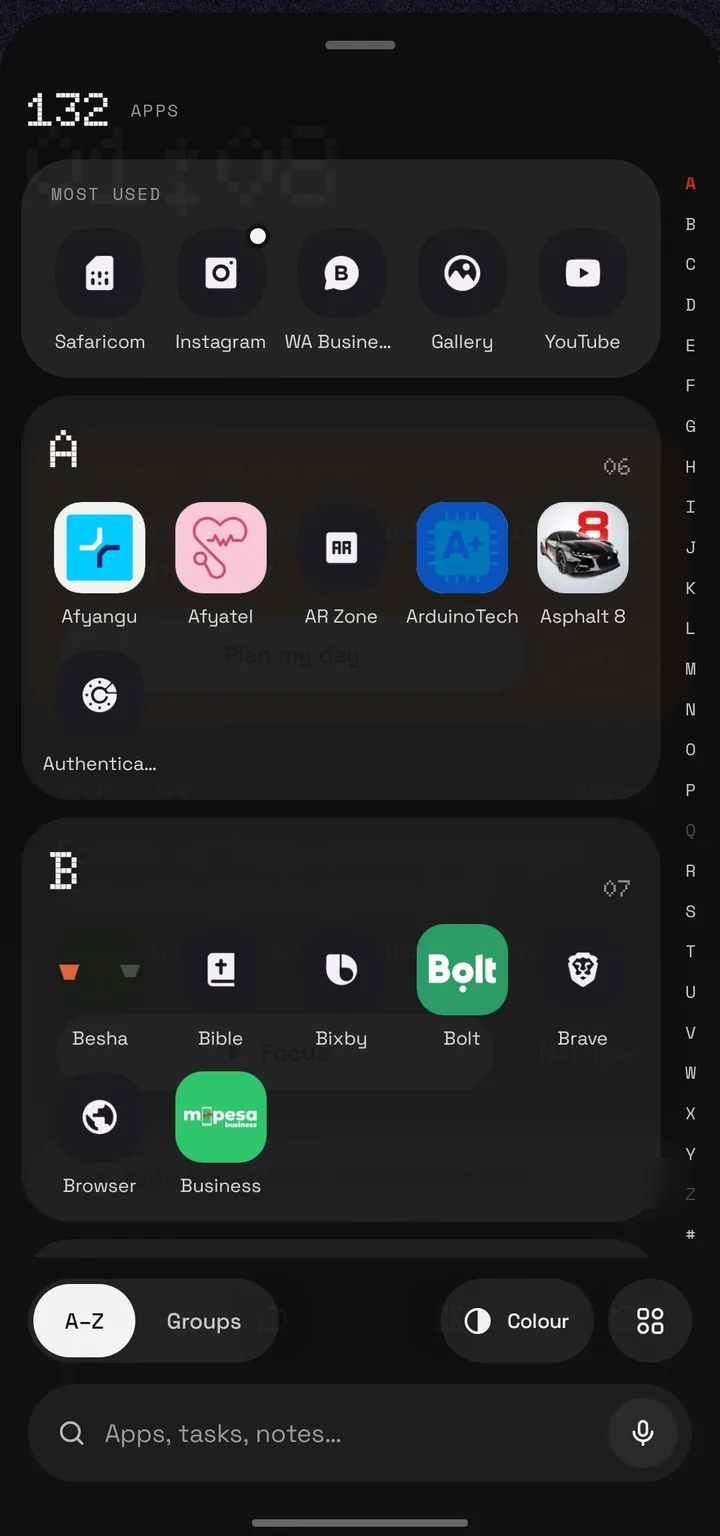
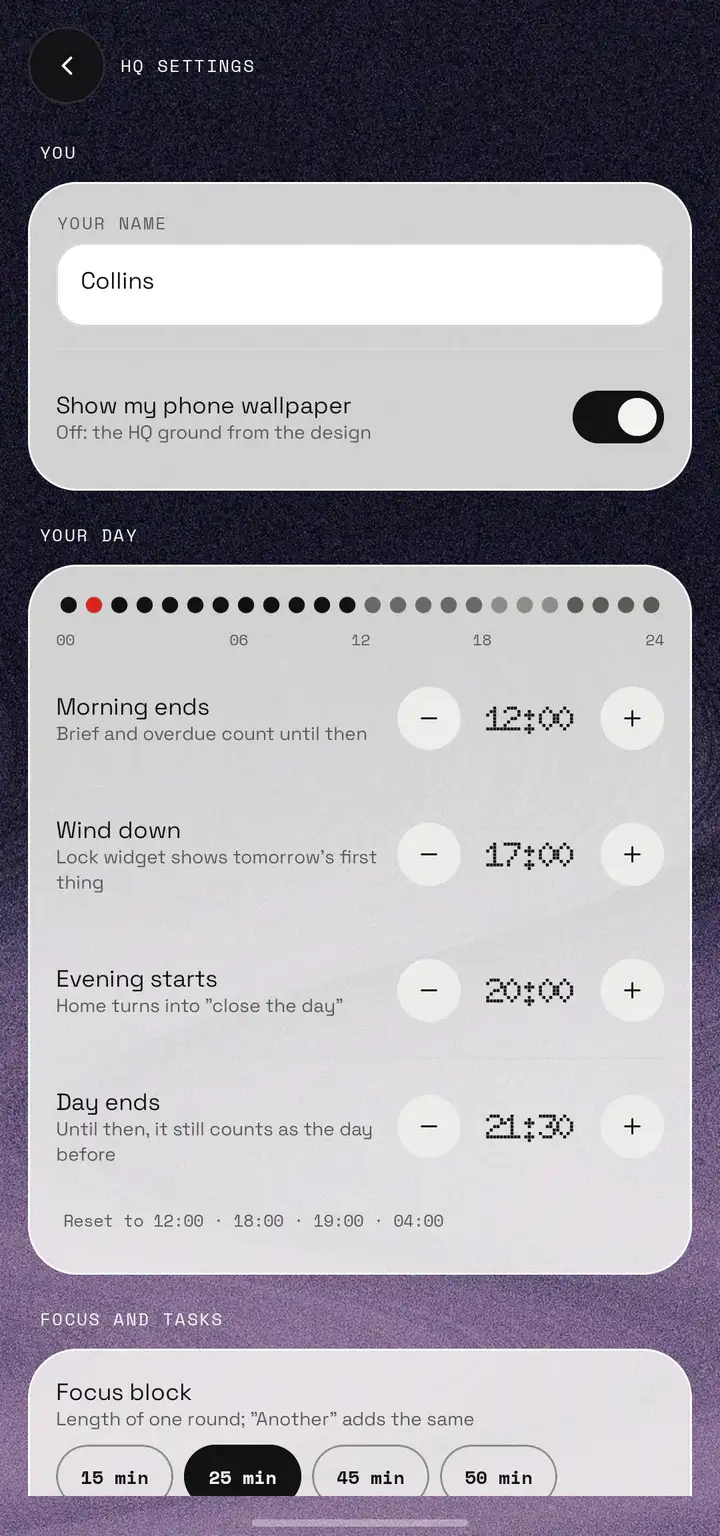
- 08A full home screenEditable grid, dock, widgets, icon packs and shapes, an A–Z app drawer, app shortcuts, notification dots, hidden apps and a work tab.
Plugged into
What makes it more than a home screen: the services it talks to.
- Hermes AI agentMy own assistant on a small cloud server, running Claude Sonnet 4.6. Plans the day and answers questions; called only when asked.
- GmailReads, searches, labels, archives and drafts. It can’t send or delete.
- DiscordMessage the assistant from anywhere, and its scheduled reports land in a channel.
- Notes vaultTasks live as Markdown files in my notes; “Ask my knowledge base” searches projects, people and context.
- Web searchSwitched on per question when the answer needs the web.
- TailscaleThe phone, the assistant and the task service talk over a private network only.
- Samsung Good LockA LockStar widget puts today’s pick on the lock screen.
- Android itselfDo Not Disturb for focus, notification access to count what’s held, voice input, app shortcuts and home-screen widgets.
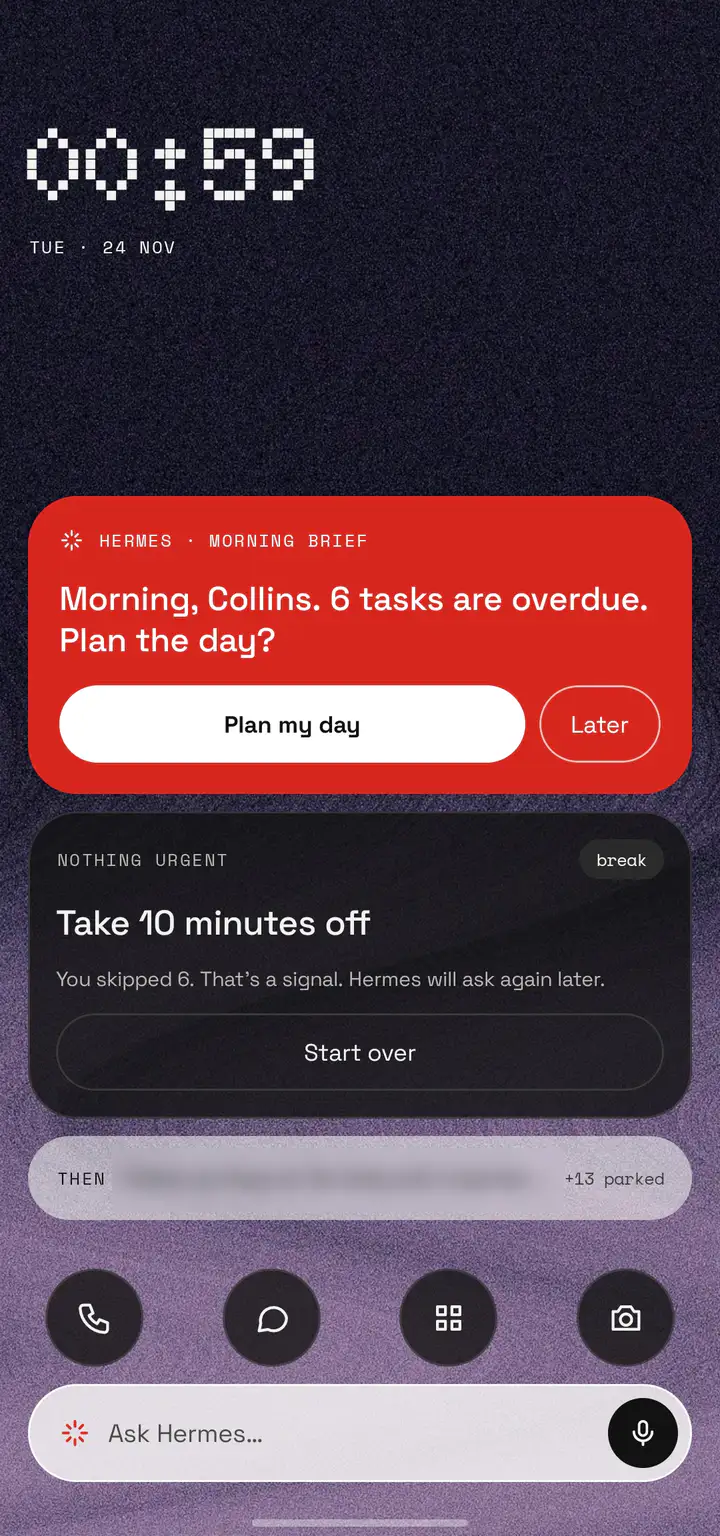
My phone’s home screen, rebuilt around one question: what should I do right now?
Why it helps
- Less deciding, more doingOne clear pick instead of a list to agonise over.
- Calm by designNo task clutter on the home or lock screen; one red accent, nothing shouting.
- Cheap to runThe AI is called only when I ask it something; everyday task changes never touch it.
- One-handedSearch and inputs sit at the bottom, with voice wherever there’s a text box.
What I built
- A Compose home app: editable grid, dock, Glance widgets and a finger-following app drawer
- A small Python service that reads and writes tasks as Markdown files in my notes vault, reachable only over a private network
- A client for a self-hosted AI agent, with today’s tasks sent along with each question
- Keys kept in encrypted storage on the phone
Stack
- Kotlin
- Jetpack Compose
- Room
- Glance widgets
- Python
- Self-hosted AI agent
- Claude
- Tailscale
The hard part
An AI agent is expensive per call (about 12,600 prompt tokens each time), and a task app makes a lot of small changes.
Only questions go to the agent. Adding, ticking and listing tasks go to a tiny Python service over a private network instead, and today’s tasks travel with each question from the phone’s own cache, so the agent never spends a call looking them up.