Portfolio · Case study 09 / 09
HQ Music
Offline music player · Android · Personal
A music player for the songs already on my phone: no streaming, no account, and a look that matches my home screen.
Loading the devices 0%
What it is
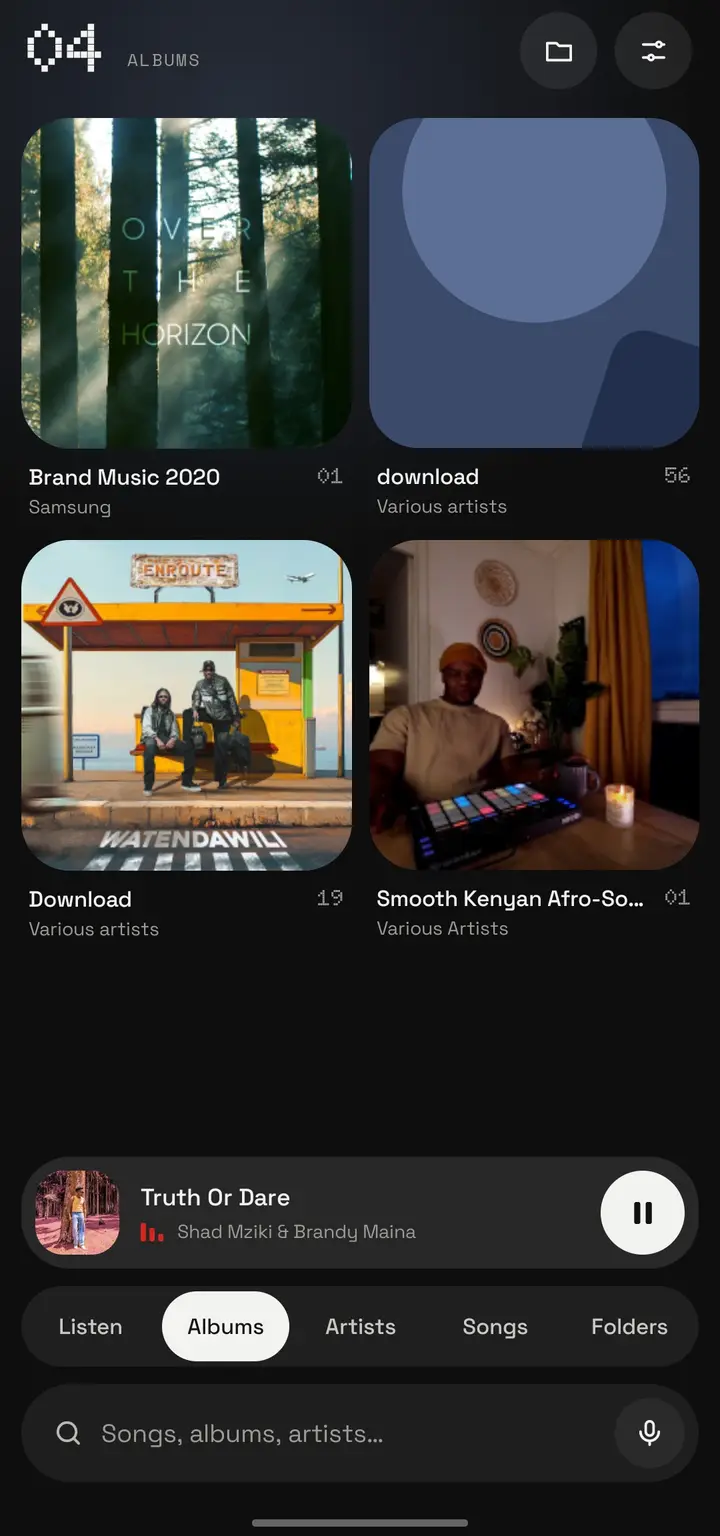
HQ Music plays the audio files stored on the phone. There’s no streaming service and no account: it scans the phone, leaves out voice notes and WhatsApp audio, and gives the library a calm, one-handed design to match HQ Launcher.
- Android 10 and up
- No account, no streaming
- Personal project
What you can do
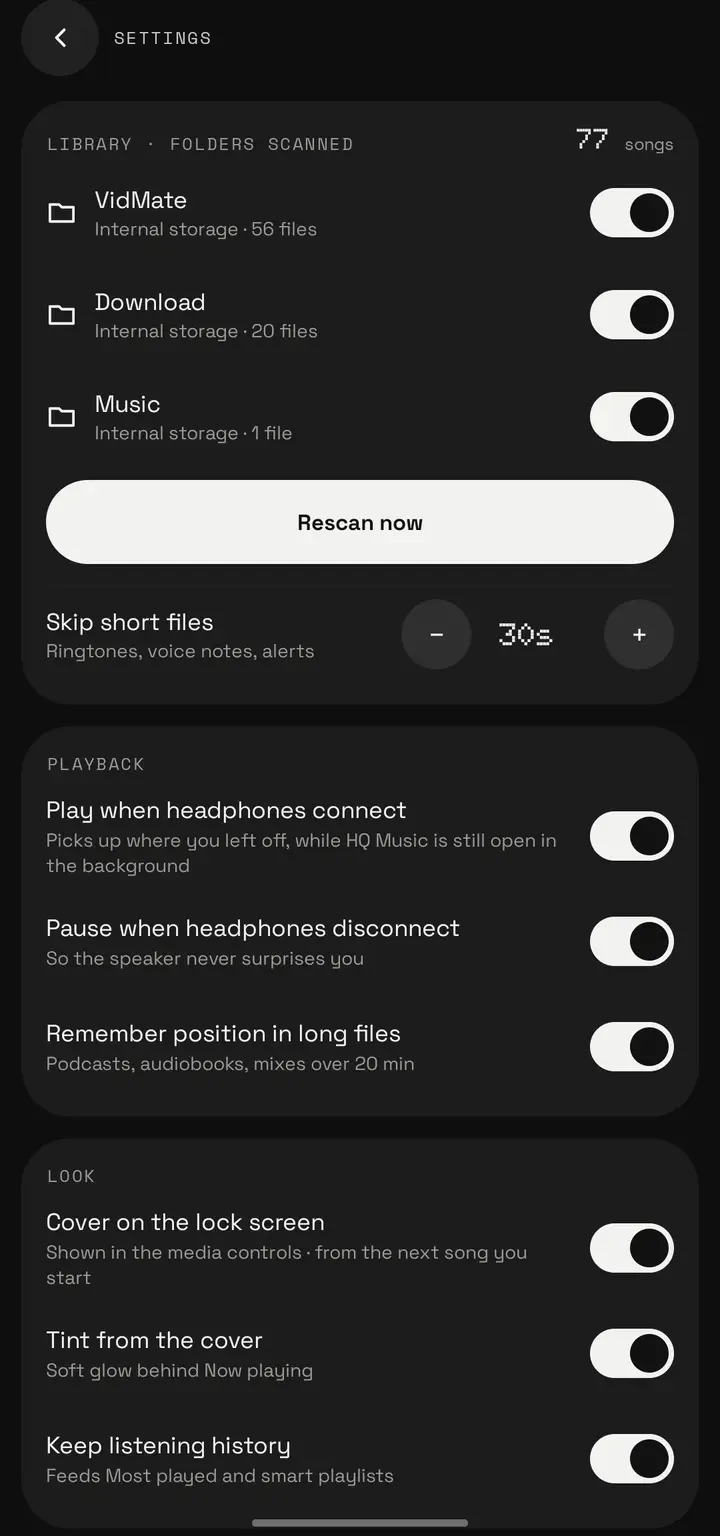
- 01A tidy librarySongs, albums, artists and folders, with voice notes, recordings and WhatsApp audio left out unless you switch them on.
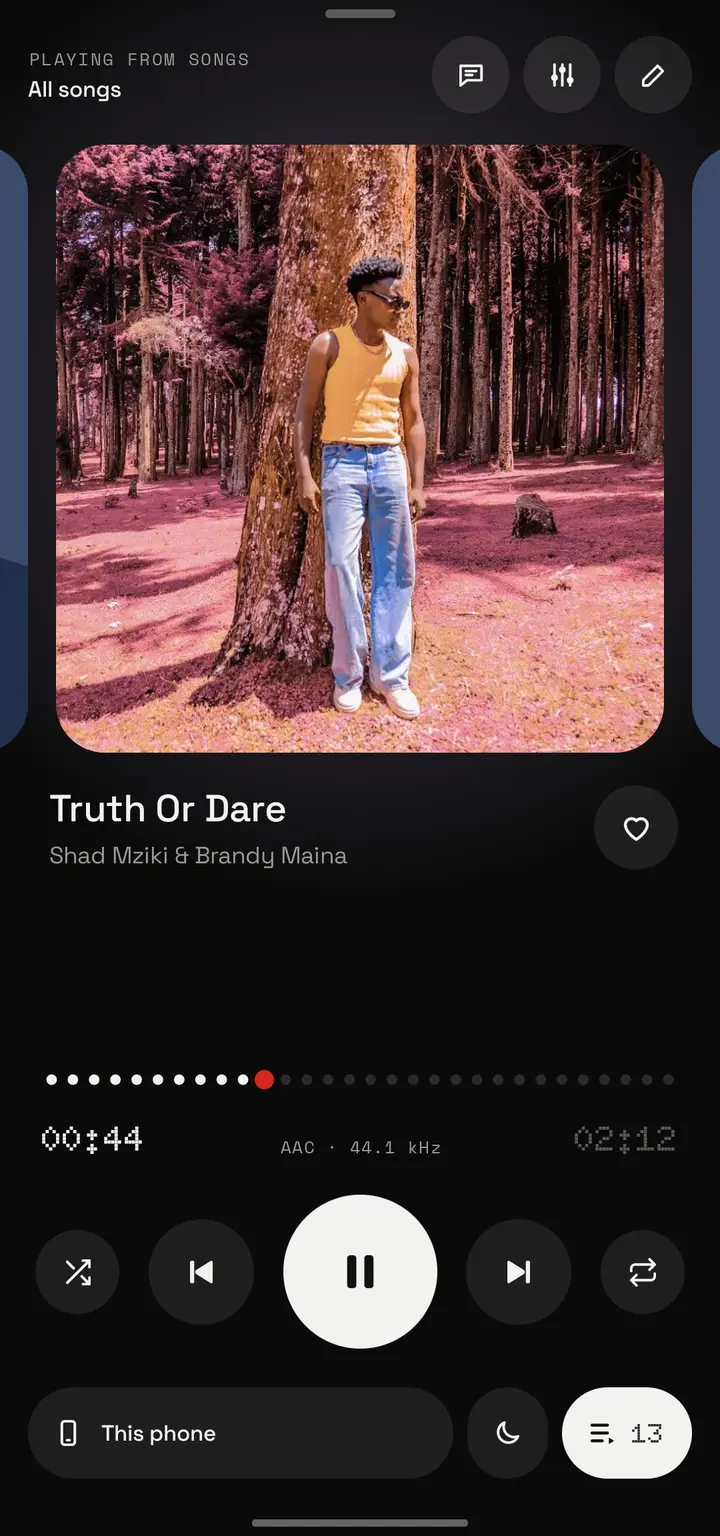
- 02Now playingA draggable queue, and it picks up exactly where you left off, even after a restart.
- 03Controls everywhereLock screen, notification, headset and Bluetooth buttons, and Android Auto.
- 04PlaylistsMake and edit them, build smart playlists from rules, and export them as .m3u.
- 05Folders browserSelect several files at once to add, share or delete.
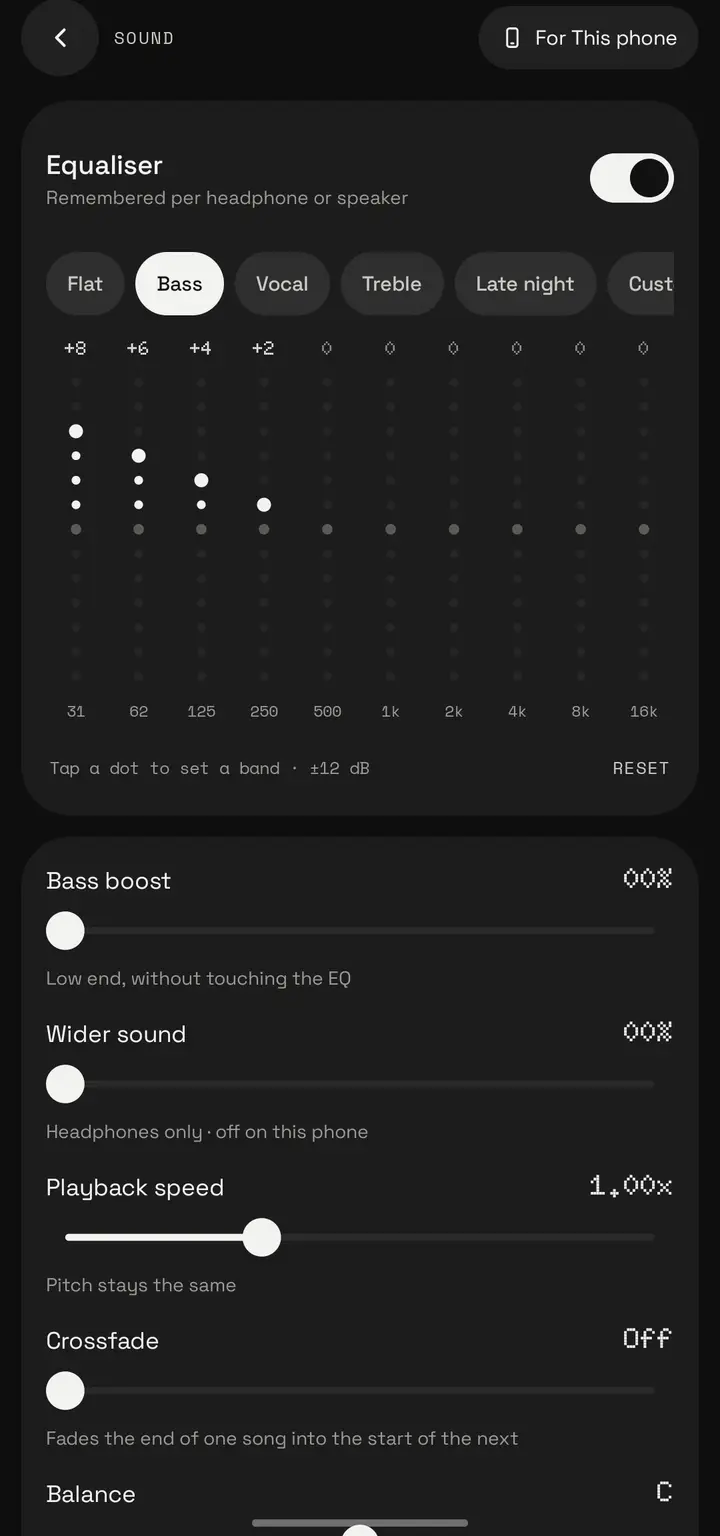
- 06Sound, tuned per deviceA 10-band equaliser with presets, remembered per headphone or speaker, plus bass boost, wider sound, crossfade and speed that keeps the pitch.
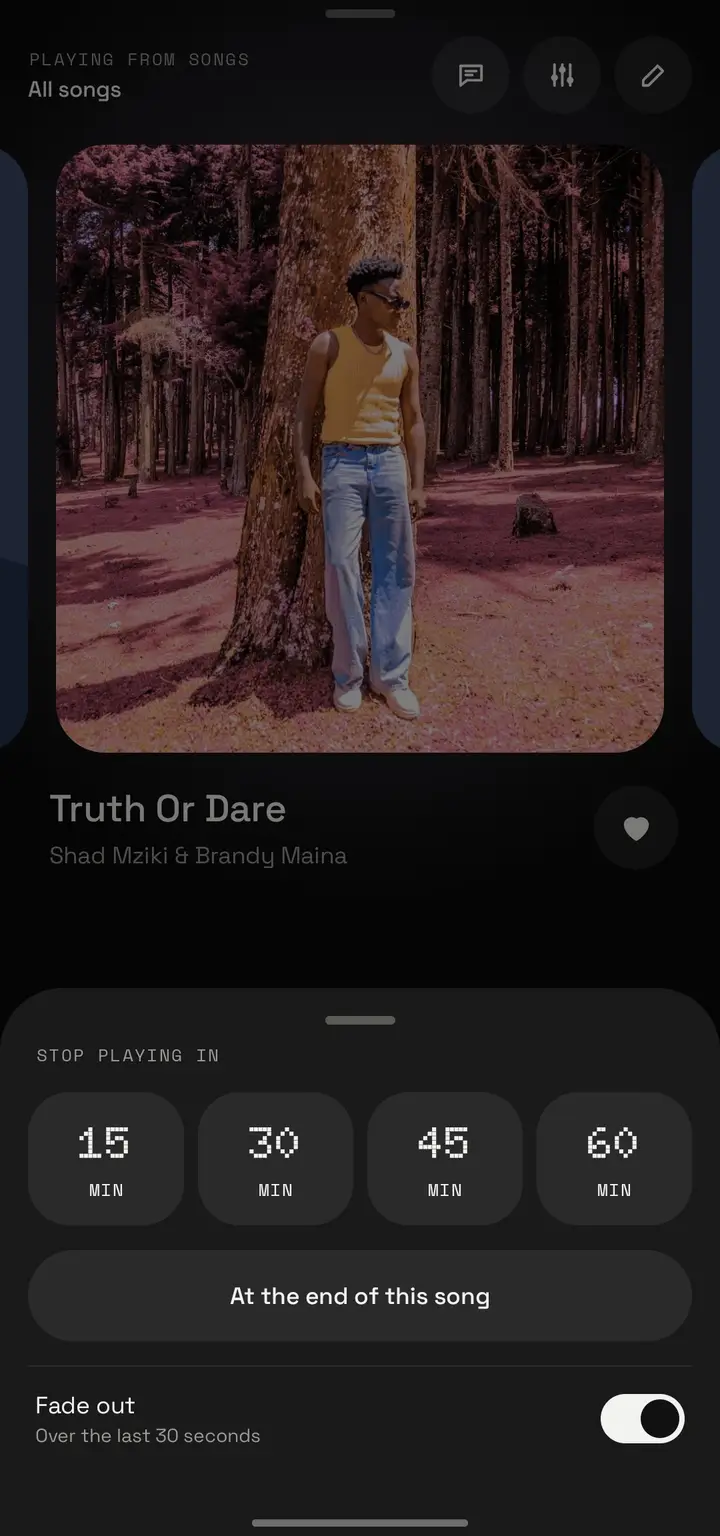
- 07Sleep timerStop in 15 to 60 minutes or at the end of the song, fading out over the last 30 seconds.
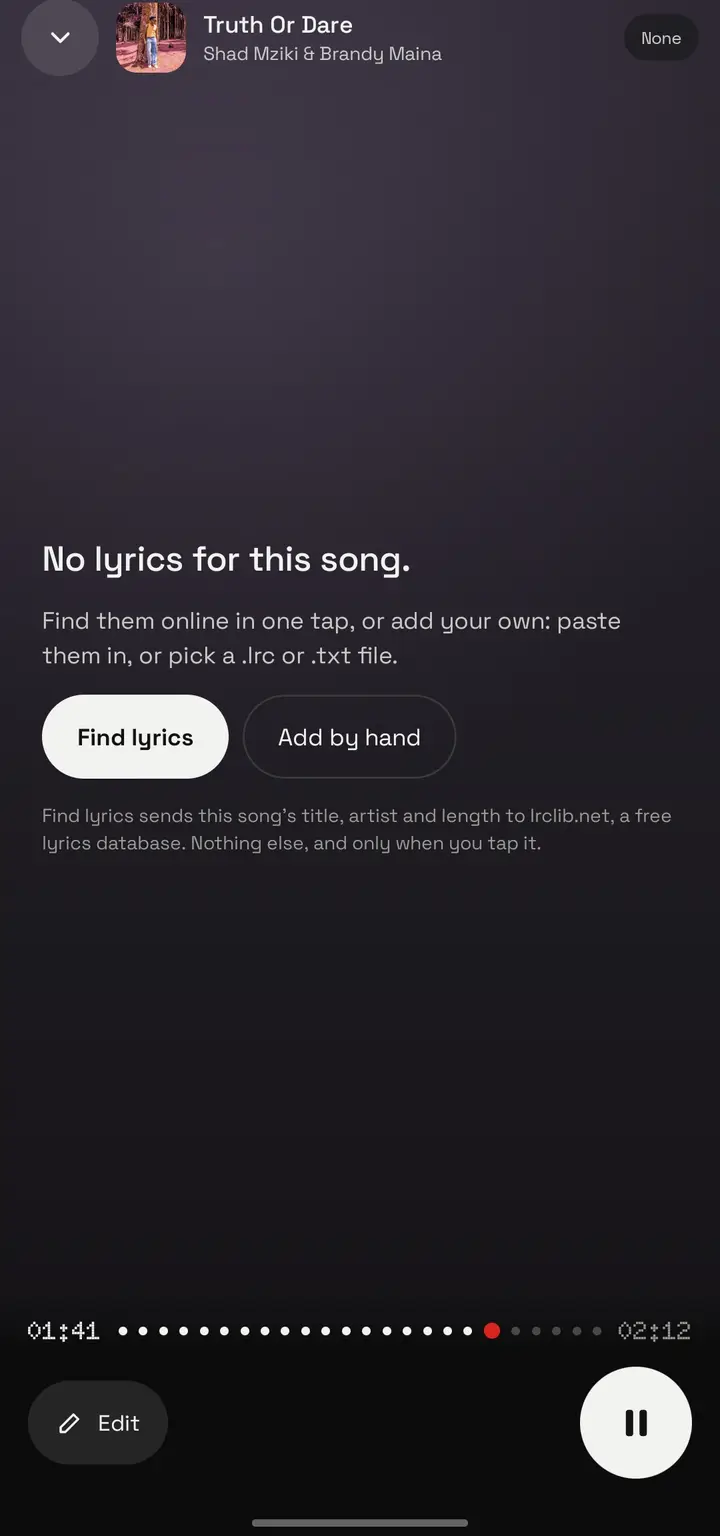
- 08LyricsSynced or plain. Find lyrics sends only the title, artist and length to a free lyrics database, and only when you tap it; or paste your own.
- 09Headphone smartsPlays when headphones connect, pauses when they disconnect, and remembers your place in long files like podcasts and mixes.
- 10Fix the tagsEdit a song’s title, artist and cover right in the file.
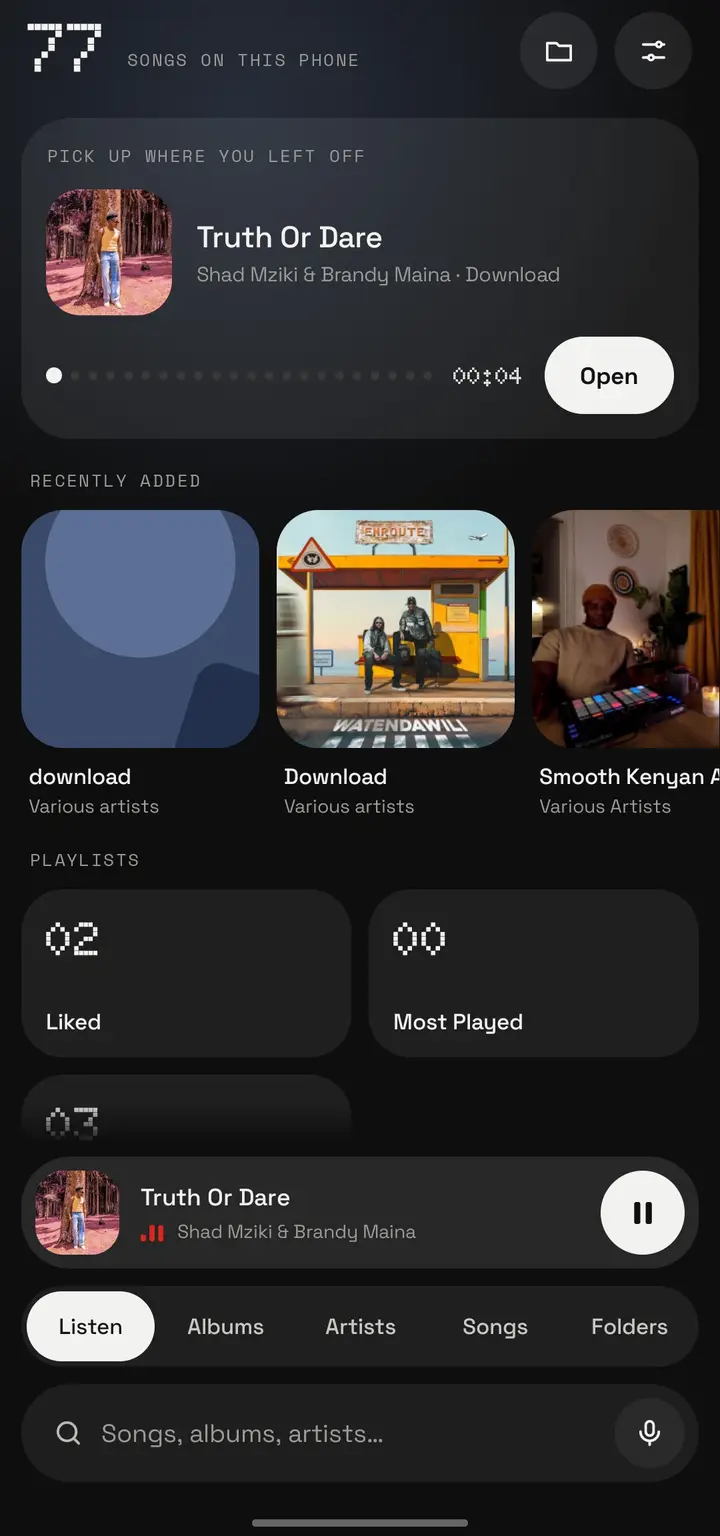
A music player for the songs already on my phone: no streaming, no account, and a look that matches my home screen.
Why it helps
- Your own music, done properlyFiles you already own get a real player, not an afterthought.
- A clean libraryNo voice notes or chat audio mixed in with your songs.
- Never lose your placeThe queue and position survive restarts.
- One-handedTabs, search and the main controls sit at the bottom.
What I built
- A Media3 playback service: notification, lock screen, headset buttons and Android Auto all from one media session
- A Room database for play counts, likes, the saved queue and playlists
- MediaStore scanning with folder switches, rescanning whenever files change
- Tag editing (titles, artists, covers) with JAudioTagger
- 35 unit tests
Stack
- Kotlin
- Jetpack Compose
- Media3 / ExoPlayer
- Room
- MediaStore
- JAudioTagger
The hard part
Problem
Editing a song’s title or cover means writing inside the audio file, which Android guards, and some real files use layouts that tag libraries trip over.
What I did
Edits go through Android’s own write request, so I approve each change, and the editor was fixed for the file layout that failed on my phone until saves worked on real songs.